Mother: The command line is the most powerful interface on your computer. It sucks because nobody talks like that. Warp changed everything.
Let me be real with you for a second. The command line sucks.
Not because it isn't powerful — it's the most powerful interface on your computer. It sucks because nobody talks like that. Nobody wakes up in the morning and thinks in flags and pipes and grep -rn patterns. You think in problems. My Wi-Fi doesn't work. My hard drive is acting up. Something is eating all my memory. And then you're supposed to translate that into some cryptic incantation you half-remember from a Stack Overflow post four years ago? No thanks.
That's where Warp changed everything for me. Warp is a terminal — but not the kind you're picturing. It's the kind where you just tell it what's wrong, like you'd tell a friend who happens to be the best systems engineer on the planet.
fig. 1 — warp's diagnostic loop: plain language in, working system out
Case Studies
I've been using it for a while now, on Linux and Mac, and I'm not exaggerating when I say it has solved problems I would have never figured out on my own. Here are four of them.
The Broadcom Driver That Was Fighting Itself
Two drivers installed simultaneously, canceling each other out. Warp identified the conflict and removed the blocking module.
driver conflictThe Camera and Mic That Linux Forgot
Missing kernel modules left the built-in camera and mic invisible. Warp found and loaded the right ones.
kernel modules14 Terabytes of "What's Wrong?"
A slow, methodical drive diagnostic that stuck with the job until complete — the patience factor most tools lack.
disk healthThe Leak That Was Actually Google Drive
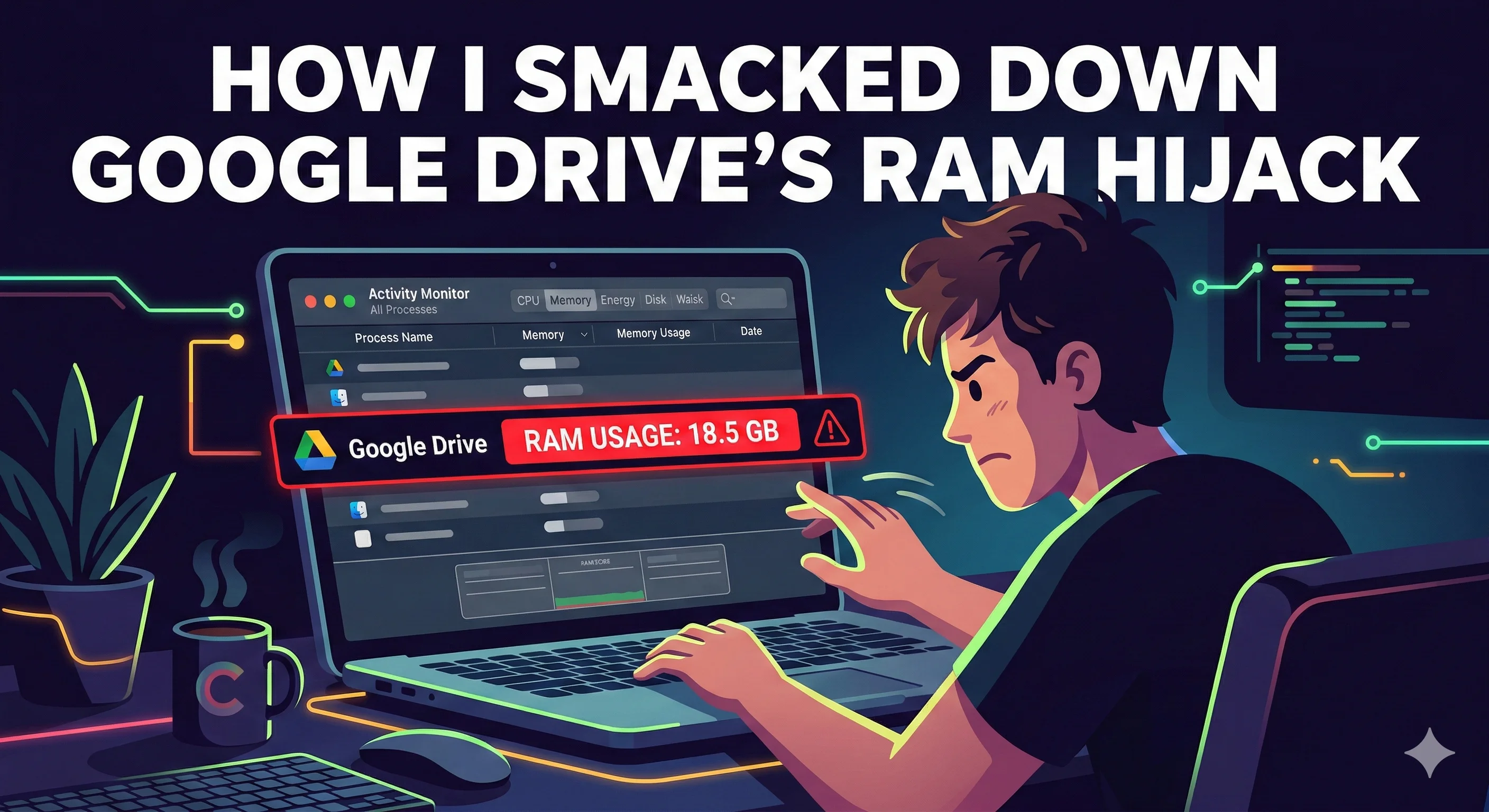
Three AI editors all leaking memory. Root cause: Google Drive interacting badly with all three. Warp patched it entirely.
root cause analysisThe Broadcom driver that was fighting itself
This is my favorite story, and it's the one that made me a true believer. I had an older MacBook Pro that I was setting up with Fedora. Classic Linux project, right? Everything was going fine except the Wi-Fi just would not cooperate.
Warp started investigating — checking what hardware I had, looking at what drivers were loaded, digging through system logs. And then it found something I never would have caught on my own.
That's not just "run this command" assistance. That's actual diagnostic reasoning. The kind of thing you'd pay a specialist for — except the specialist lives in my terminal and works at 2 AM without complaining.
The memory leak that was actually Google Drive
I'd been noticing that several AI-powered code editors — Windsurf, Cursor, and Codex — were all suffering from memory leaks. I assumed it was the apps themselves. Wrong.
Cursor: 1.8 GB RAM
Codex: 1.4 GB RAM
──────────────────
Total: ~5.3 GB
System crawling.
Assumed: app bugs
Cursor: 390 MB RAM
Codex: 310 MB RAM
──────────────────
Total: ~1.2 GB
System responsive.
Root cause: Google Drive
Warp didn't just identify the problem. It patched my system to block it entirely. Not a workaround. An actual fix that stopped the problem from happening in the first place. That was freaking amazing.
Mother: Most AI tools are like having a really smart friend who can give you advice over text. Warp is like having that friend sitting next to you, looking at your screen, typing the commands, reading the results.
What's Actually Happening Here
Every one of those stories has something in common: I described a problem in plain language, and Warp translated that into the right sequence of technical actions. I didn't need to know the commands. I didn't need to memorize flags. I didn't need to spend an hour reading man pages.
fig. 2 — warp as the bridge between plain-language problems and power-user solutions
Time saved: Warp vs. traditional approach
These aren't rough estimates — they're based on actual time spent vs. what these problems historically cost me.
fig. 3 — estimated time comparison: traditional troubleshooting vs. warp-assisted diagnosis
The Swiss Army Knife
I started using Warp because I was curious. I kept using it because it kept solving problems I thought were beyond me. Driver conflicts. Hardware compatibility. Disk diagnostics. Memory leaks. Background process management. Every one of those is a different domain, a different skillset, a different set of tools and commands.
Warp handled all of them.
That's not a terminal. That's a Swiss Army knife for your entire computer. And honestly? It's probably the most valuable AI tool that's come out so far — not because it's the flashiest, but because it meets you where you actually are: staring at a problem, not knowing the command, and just needing something that gets it.
fig. 4 — warp works across all major platforms, with platform-specific command knowledge built in
You don't need to become a Linux wizard to solve Linux problems anymore. You don't need to memorize the difference between systemctl and launchctl depending on which OS you're on. You just need to describe what's going wrong.
If you haven't tried it yet, stop memorizing commands and start having conversations.
Mother: Your terminal is finally ready to listen Ripley
If you are turning this kind of technical idea into a business tool, JK Dreaming can help you plan the website, workflow, and private AI pieces together. Start with our private AI consulting page or book a strategy call to map the safest next step.




![Web Design Cincinnati Ohio: How to Choose the Right Web Designer [2026 Guide] feature image](/_next/image/?url=%2Fblog%2Fweb-design-cincinnati-ohio-choosing-web-designer.webp&w=3840&q=75&dpl=dpl_88hfZHa7ep6uiQwiu7D2FypyXP7K)